For Roland SPD-SX
The missing companion for your SPD-SX
Create and edit kits, manage waves, build kit chains, and back up your setup without touching the onboard menu.
Available now for iOS and Mac.
Features
Everything your SPD-SX can do, laid out so you can actually use it.
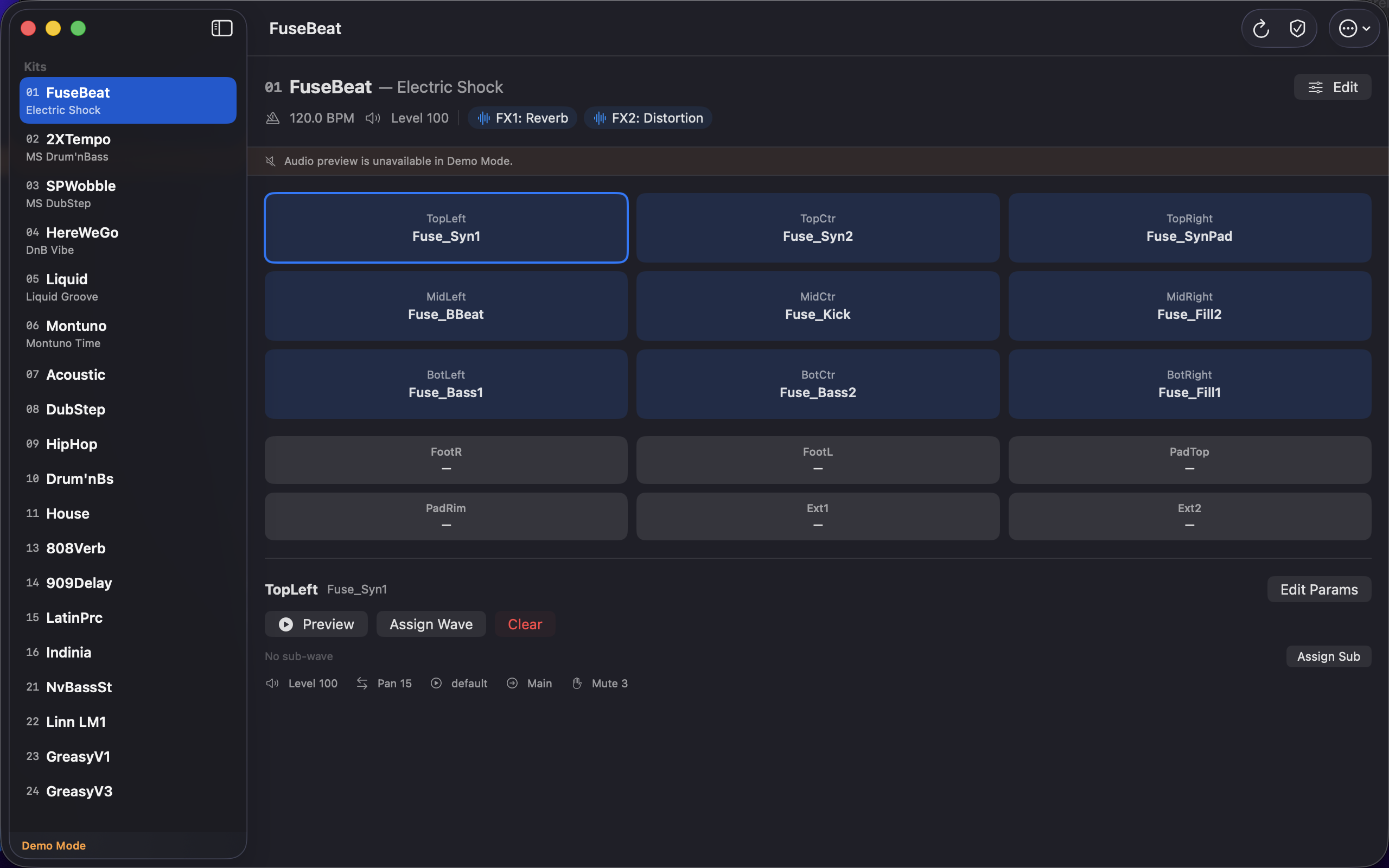
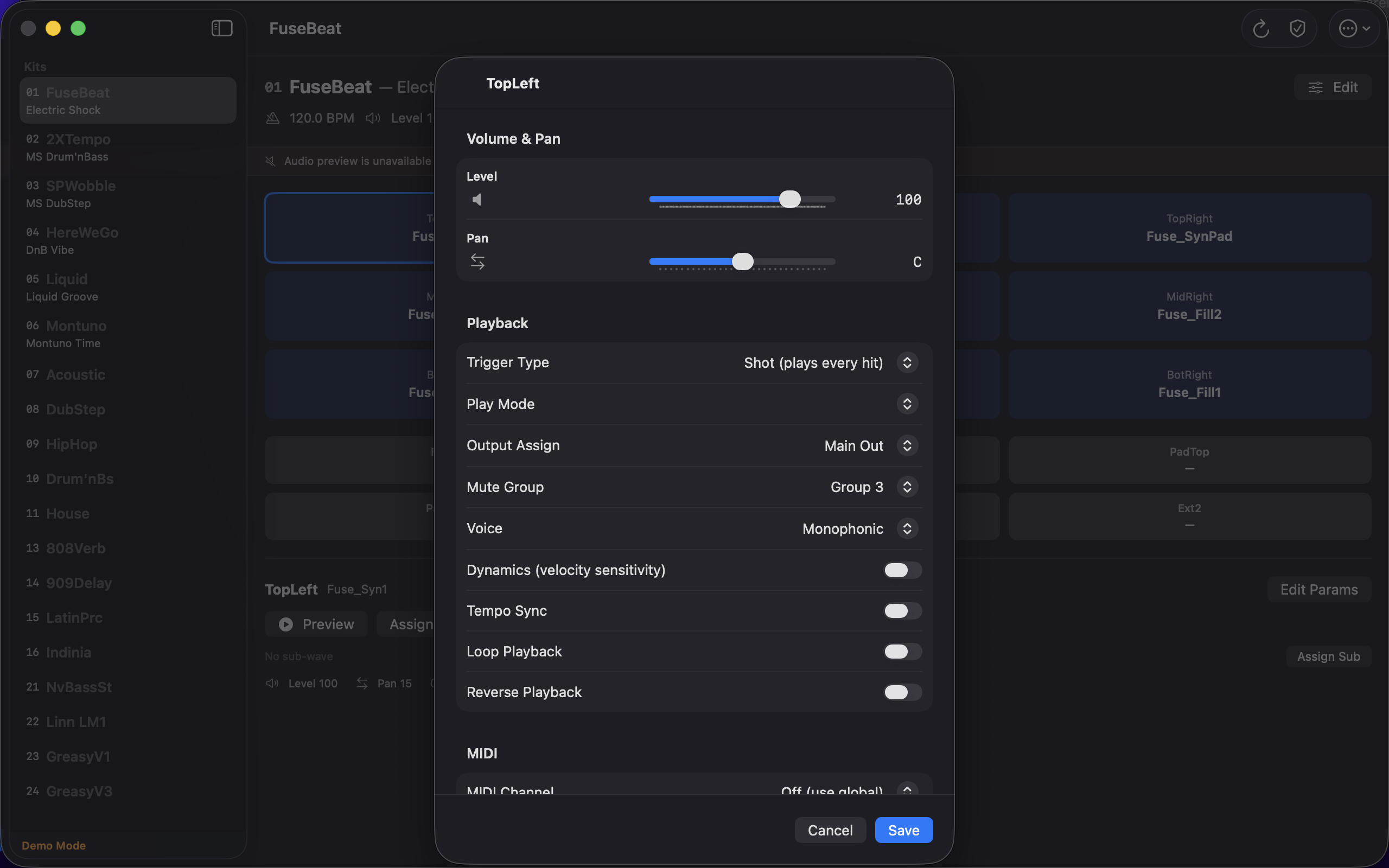
Kits and pads
Create and edit kits, set tempo and output level, reorder slots, and copy and paste to build variations. Every pad parameter is right there: wave, level, pan, play mode, MIDI, pad linking.
Wave library
Browse every wave on your SPD-SX, rename them to something you'll remember, and delete the ones taking up space. Export waves directly off the device when you need them elsewhere.
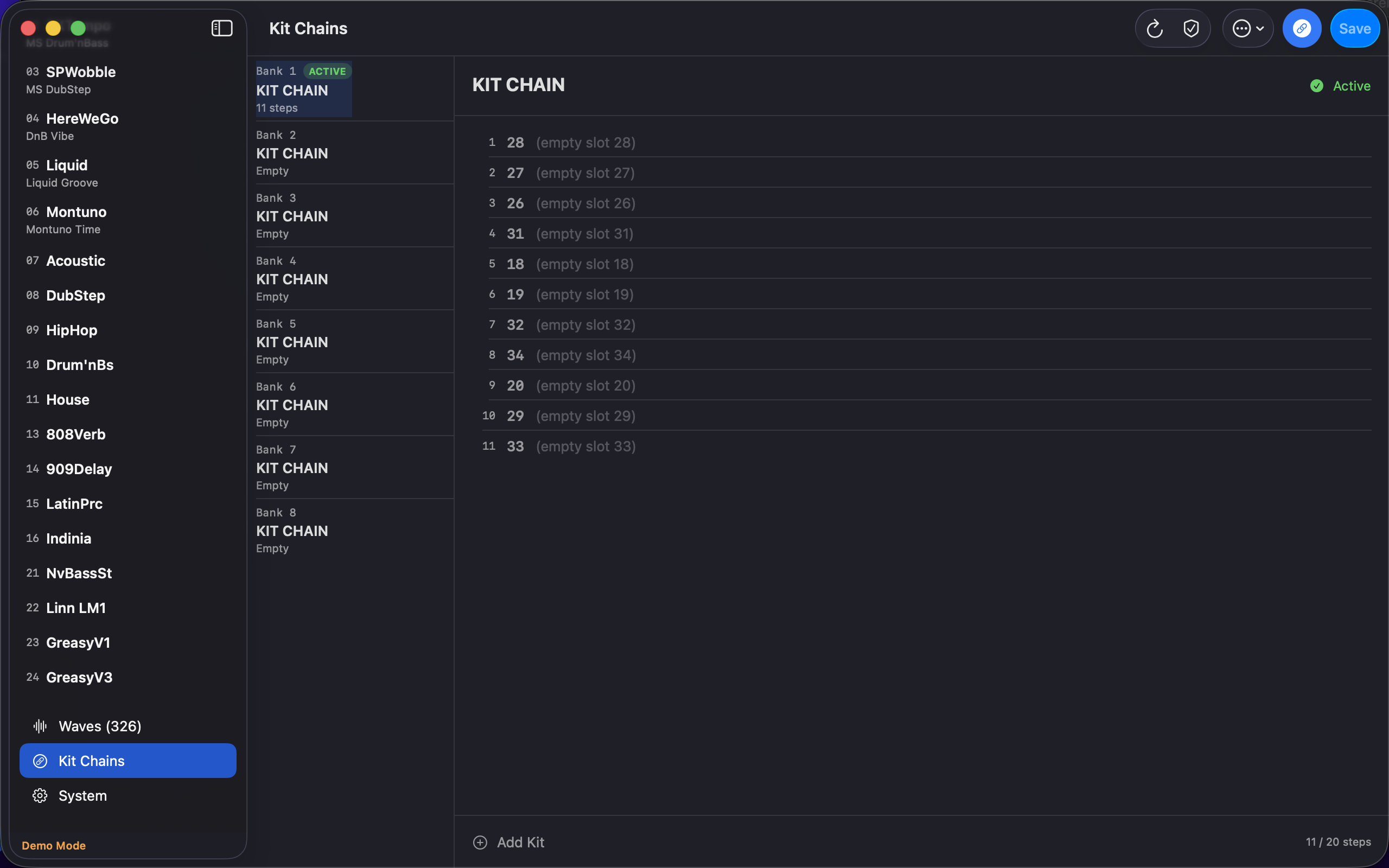
Kit chains
Build all 8 kit chains with up to 20 steps each. You see kit names instead of slot numbers, so building a setlist actually makes sense. Drag to reorder, add and remove steps, enable and activate chains on the fly.
System settings
Display, MIDI, audio output, foot switches, pad sensitivity, V-Link, metronome, master FX. All on one screen instead of buried across the device menu.
Backup and restore
Back up your entire SPD-SX to your Mac, iPad or iPhone. Open and edit a backup without the device connected, then restore when you're ready.
Demo mode
Not near your SPD-SX? The app ships with sample data so you can explore everything before you plug in.
See it in action
Built for how you work
SPD-SX Manager for Mac and iPhone.
Available now for iOS and Mac.